
The advanced email tracking solution
Know the impact of your email
with Mailinfo's real-time mail tracking
Mailinfo 4 for Outlook provides an advanced solution for keeping track of your emails,
and makes your email communications more effective. Know your customers have
received your offer, watch as your colleagues read your emails, and celebrate
with your friends the moment they get your greeting.
you'll always have the information you need about your
email, and you'll find out the moment it's opened and read.

Download your fully functional 30 days trial
For use with Microsoft Outlook®
Subscription plans available after the trial
For use with Microsoft Outlook®
Subscription plans available after the trial
Mailinfo rated 5 stars at:





Mailinfo Benefits
- Know that your outgoing email is viewed - as it happens.
Real-time alerts appear directly on your desktop once your email is viewed. - Make sure important emails were received and not blocked as spam.
Real-time tracking tools show you which emails have arrived, and when. - Find unconfirmed emails that require follow-up or emails that appear lost.
Reminders help you keep track of critical communications that haven't been read. - Keep using your Microsoft Outlook ® or Outlook Express ® as you always have.
Mailinfo is seamlessly integrated into your Microsoft Outlook ® or Outlook Express ® so you can simply continue sending emails as usual. - Your emails remain private.
The content of your emails remains between you and the recipients. We don't redirect your emails, they don't go through our servers, and we do not have access to them. - Know the impact of your emails.
Find out when and where your email is viewed, know of renewed interest in your emails, and see the reach of your emails.
Download your fully functional 30 days trial
For use with Microsoft Outlook®
Subscription plans available after the trial
For use with Microsoft Outlook®
Subscription plans available after the trial
Keeping you informed
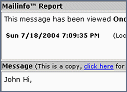
MailInfo Repot
When and where your
emails are viewed
When and where your
emails are viewed
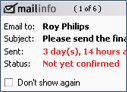
Follow-Up Reminder
For emails that weren't
delivered yet
For emails that weren't
delivered yet
![Sent [MailInfo] Folder](img/sentfolder.png)
Sent [MailInfo] Folder
See the whole picture
of outgoing emails
See the whole picture
of outgoing emails
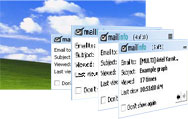
Mailinfo reciprocity philosophy
Mailinfo is based on the principle of reciprocity - if you wish to get confirmations that your sent emails to others have been delivered, you should allow others who use Mailinfo to have the comfort of knowing that their emails to you were delivered as well. Therefore, a user can not use Mailinfo and the Mailinfo Confirmation Blocker at the same time.
Mailinfo is based on the principle of reciprocity - if you wish to get confirmations that your sent emails to others have been delivered, you should allow others who use Mailinfo to have the comfort of knowing that their emails to you were delivered as well. Therefore, a user can not use Mailinfo and the Mailinfo Confirmation Blocker at the same time.

Technical issues & limits
Like any technology, Mailinfo has its limitations and may not provide Mailinfo Alerts in certain cases even if the emails were actually viewed by the recipient. This could be for various reasons e.g. the recipient has requested to block Mailinfo, the recipient is receiving emails in plain text format, or using Microsoft Outlook ® and Outlook Express ® content filters, etc.
Tell me more.
Like any technology, Mailinfo has its limitations and may not provide Mailinfo Alerts in certain cases even if the emails were actually viewed by the recipient. This could be for various reasons e.g. the recipient has requested to block Mailinfo, the recipient is receiving emails in plain text format, or using Microsoft Outlook ® and Outlook Express ® content filters, etc.
Tell me more.

Community friendly email - a solution for everyone
If you wish to block Mailinfo on your computer, please consult these guidelines.
If you wish to block Mailinfo on your computer, please consult these guidelines.
Download your fully functional 30 days trial
For use with Microsoft Outlook®
Subscription plans available after the trial
For use with Microsoft Outlook®
Subscription plans available after the trial